









Engineering

Project 01 / 06

Job Fit & Skill-Gap Analyzer

Full-stack tool that compares résumé and job-description skills, surfaces matched and missing skills, and tracks recurring gaps across saved roles.

One captured analysis result
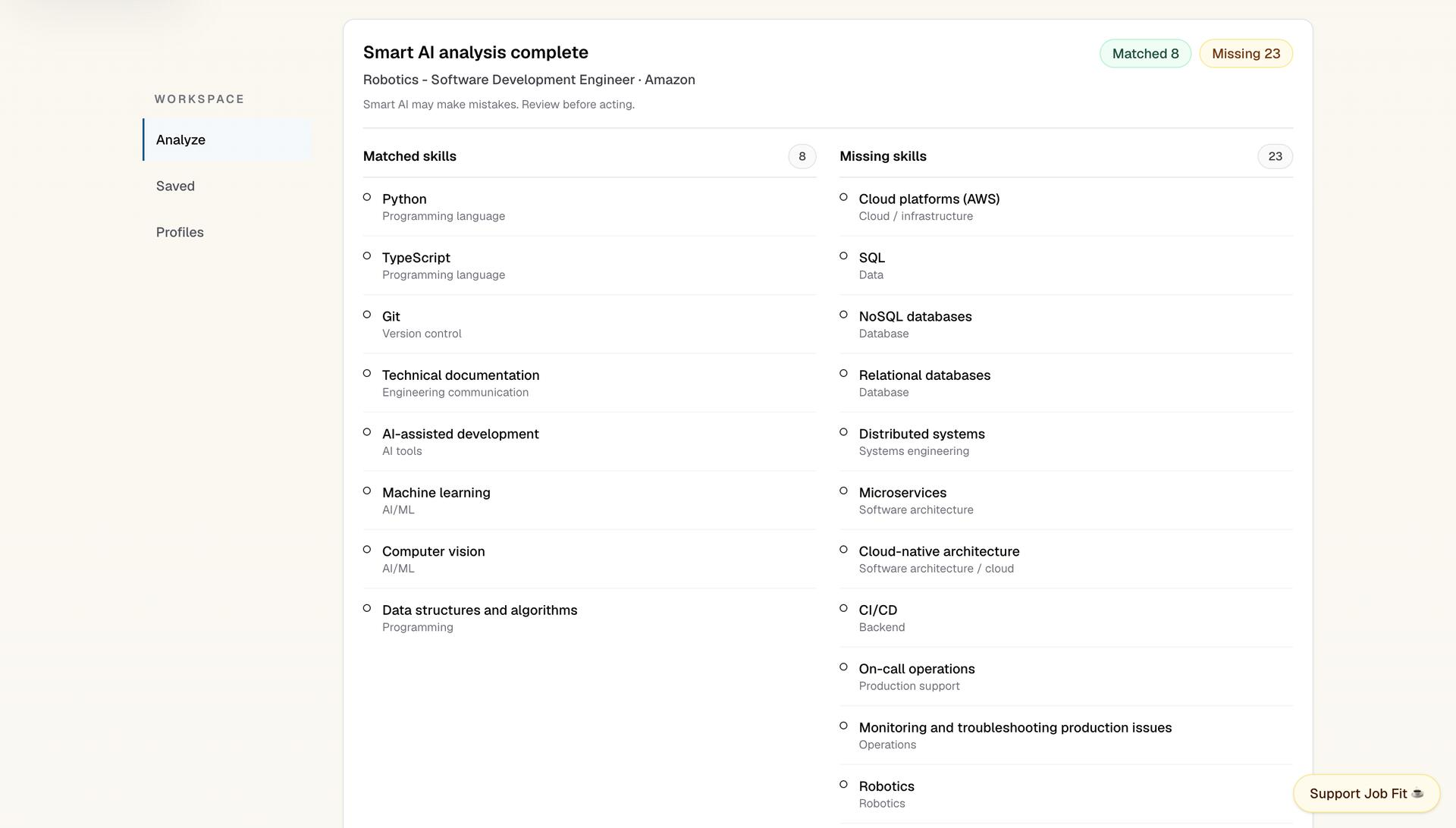
One captured résumé-to-role resultExample result for Robotics – Software Development Engineer at Amazon: 8 matched skills and 23 missing skills.
Job Fit and Skill-Gap Analyzer result for an Amazon robotics software role showing 8 matched skills, 23 missing skills, and a warning to review the AI output.

01 — Comparing résumé and job skills

The interface separates matched skills from skills listed in the job description but missing from the résumé. A warning reminds users to review the result.
The screenshot does not show the full inputs, the analysis method used or whether the result was saved. The skill classifications still need review.

02 — Deterministic matching is the baseline

A rule-based path creates the comparison independently of optional AI availability.

Canonical terms before comparison

The matching code lowercases text, maps skill aliases to a common vocabulary and uses boundary-aware regular expressions to find skills. It removes duplicates, then compares the résumé and job-description skill sets.

The skill vocabulary contains 23 categories, 250 canonical skills and 99 alias groups. These are vocabulary counts, not measures of matching accuracy.

Deterministic comparison stages
StageHow it worksLimitations
NormalizeLowercase text and map documented aliases to canonical skill namesNo general language understanding is implied
DetectUse boundary-aware regular expressions to avoid simple substring matchesNot semantic matching, embeddings, or vector search
CompareIntersect résumé and job skill sets for matches; retain job-only skills as missingNo candidate ranking or fit formula
Configure23 categories · 250 canonical skills · 99 alias groupsConfiguration counts, not performance metrics

The skill-detection fixtures used 98 alias groups. The vocabulary described above contains 99.

03 — Optional AI analysis

The OpenAI path adds structured analysis without becoming the workflow's only route to a result.

When configured, the FastAPI service calls the OpenAI Responses API with a strict structured-output schema for matched skills, missing skills, and a summary. The request disables provider-side response storage.

The web layer canonicalizes and deduplicates returned skills, reconciles them with deterministic overlap, and prevents a skill from remaining in both matched and missing sets. If AI is disabled, fails, or returns an unusable payload, the route returns the rule-based result instead.

Public product framing

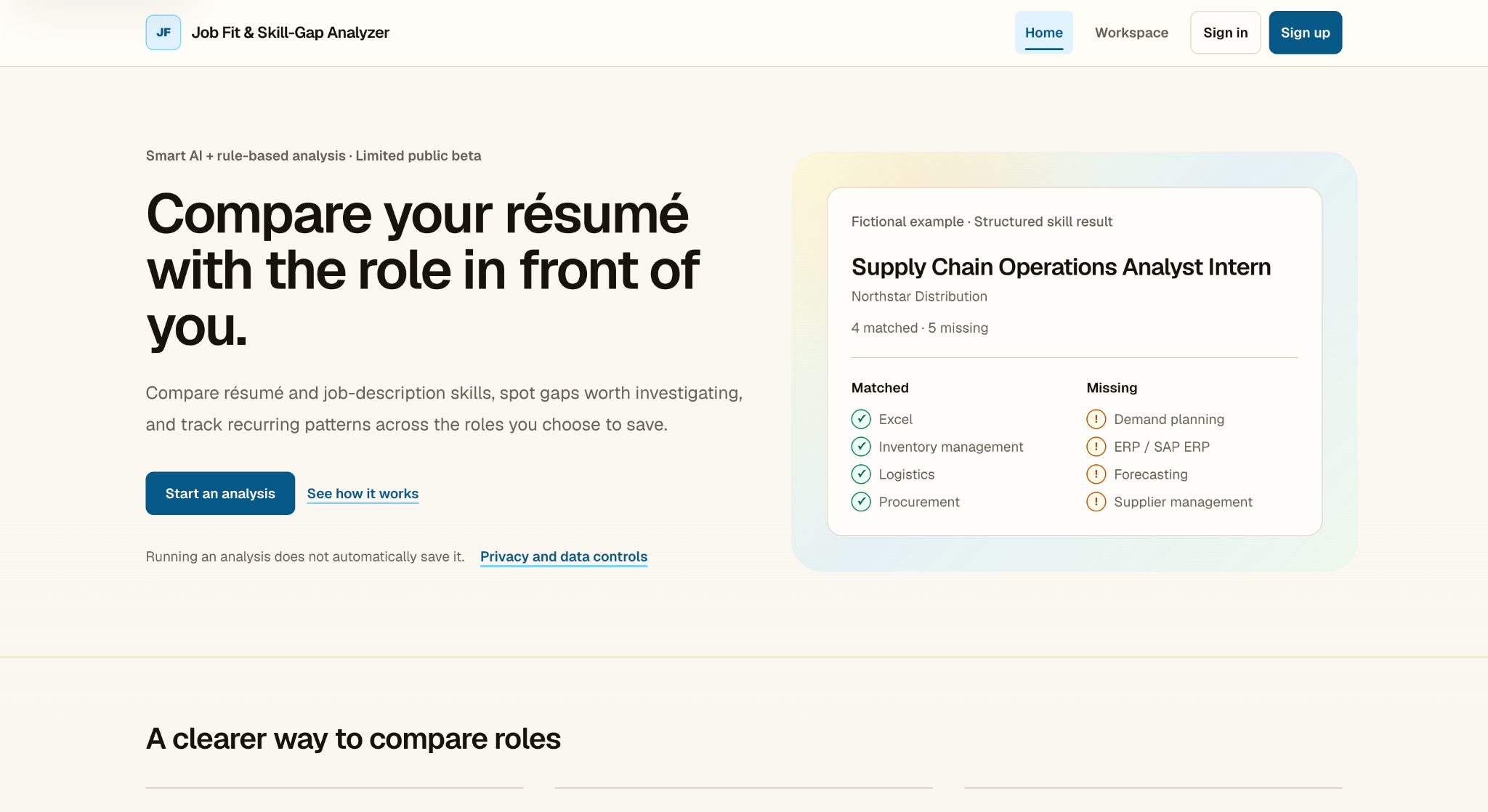
Public Job Fit and Skill-Gap Analyzer homepage describing Smart AI plus rule-based analysis, a limited public beta, résumé-to-role comparison, a fictional structured skill result, and privacy controls.
Public homepage — product framingThe product homepage presents optional AI analysis alongside the rule-based comparison, privacy controls and a fictional example result. This is a historical limited-beta screenshot.
Optional AI path and guardrails
ConcernImplementation
Output shapeStrict structured response for skills and summary
VocabularyCanonicalization and deduplication
Set consistencyDeterministic overlap reconciles matched and missing skills
Service failureAutomatic fallback to rule-based analysis

Structured responses, vocabulary checks and fallback handling do not ensure correct matches. AI output is planning guidance and needs human review.

04 — Processing résumés and job descriptions

The hosted workflow separates authenticated request handling, analysis, document extraction, optional AI, and explicit persistence.

Authenticated Next.js routes proxy analysis requests to FastAPI. The backend exposes deterministic analysis, document extraction, and optional AI endpoints; PDF, DOCX, TXT, and Markdown content can be converted to transient text, while OCR is not implemented.

The request handlers include size limits and timeouts.

Analysis workspace — input surfaces

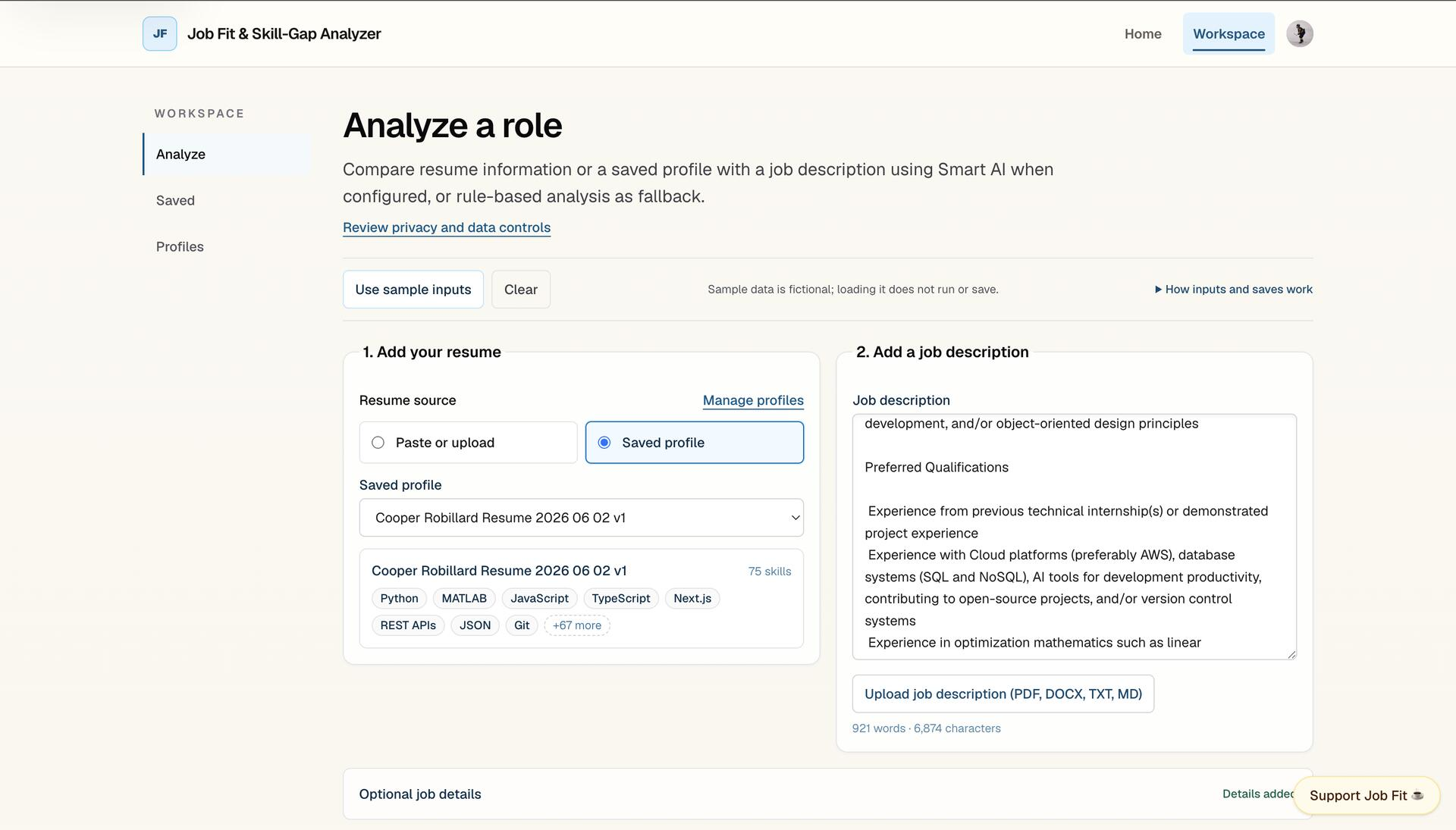
Analyze a role workspace showing a saved résumé profile, job-description input, supported document-upload formats, privacy and data controls, and sample-input messaging.
Analyze workspace — visible input surfacesThe workspace includes saved résumé profiles, job-description input, document upload and privacy controls. Loading a sample, running an analysis and saving a result are separate actions.
Request, processing, and persistence boundaries
StageHow it works
Browser → Next.jsAuthenticated server routes receive and validate analysis requests
Next.js → FastAPIServer-side proxy calls deterministic, extraction, or optional AI services
Document extractionPDF, DOCX, TXT, and Markdown text extraction
Analysis → savePersistence is a separate explicit action using structured fields

05 — Structured results support saved comparison

An explicit save turns one transient result into structured records that can be revisited across roles.

Saving writes structured analysis metadata and matched and missing skills to Supabase. Row-level policies restrict each user’s access to their own records. This save path excludes raw résumé and job-description text.

The app supports searching, filtering, comparing, exporting and deleting saved analyses. Recurring-gap percentages count the unique saved analyses that include each skill, so they describe one user’s saved roles rather than the wider labor market.

Saved-workspace features
FeatureHow it works
Structured saveRun, role, matched-skill, and missing-skill records
Owner scopeSupabase row-level policies tied to the authenticated user
Saved comparisonSearch, filter, compare, export, and delete controls
Recurring gapsUnique saved-analysis counts grouped by canonical skill

06 — Testing and limitations

The matching logic was tested with fictional job-role examples, negative controls, and skill-alias checks. The project also went through QA and launch checks.

Historical test results
TestRecorded result
Skill-detection fixtures21 fictional role cases · 19 negative controls · 49 alias-driven detections · 0 final fixture failures
QA checklist17 of 17 recorded checks passed
Launch checks7 of 7 recorded checks passed, plus manual review

These checks took place at different stages of development. They do not measure real-world matching accuracy, hiring outcomes or reliability at scale.

JobFit started as a rule-based command-line tool and grew into a web app with saved results, profiles, privacy controls, and optional AI analysis. I worked on its development with substantial assistance from AI coding tools.